
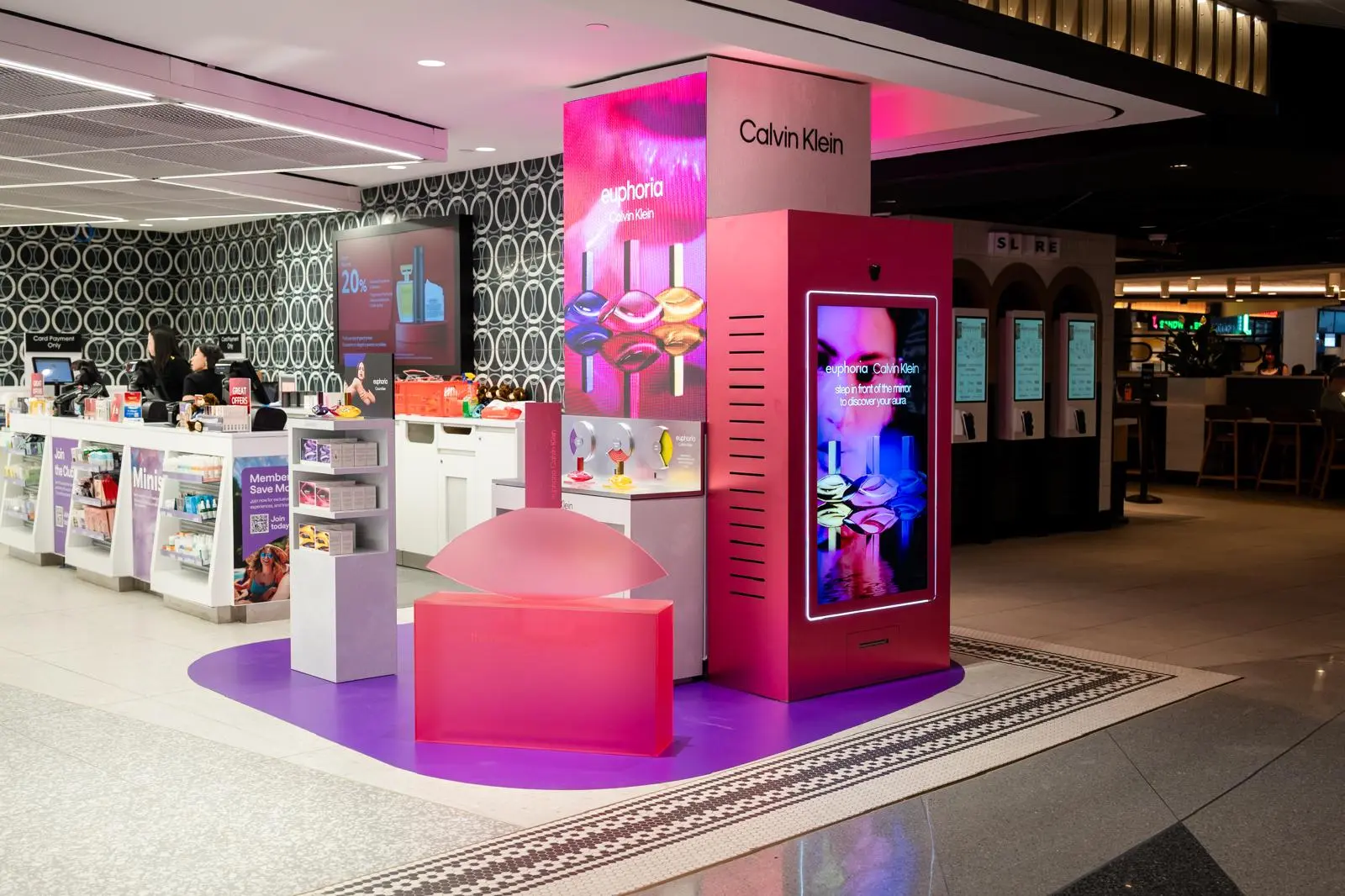

Digital signage content includes the images, videos, text, live data, interactive experiences, and AI-powered content displayed on digital screens. A digital signage content strategy defines what content to show, where and when to show it, who it is designed for, and what business outcome it should drive.
The most effective digital signage goes beyond simply filling a screen. It combines the right message, format, placement, timing, interaction, and measurement to turn screens into useful customer touchpoints.
What Is Digital Signage Content?
Digital signage content is any digital media displayed on screens such as LCD displays, LED walls, kiosks, retail screens, digital storefronts, and interactive mirrors.
It can include:
- Promotional images and videos
- Product information
- Pricing and offers
- Live data and social feeds
- Maps and wayfinding
- Interactive catalogs
- Games and branded experiences
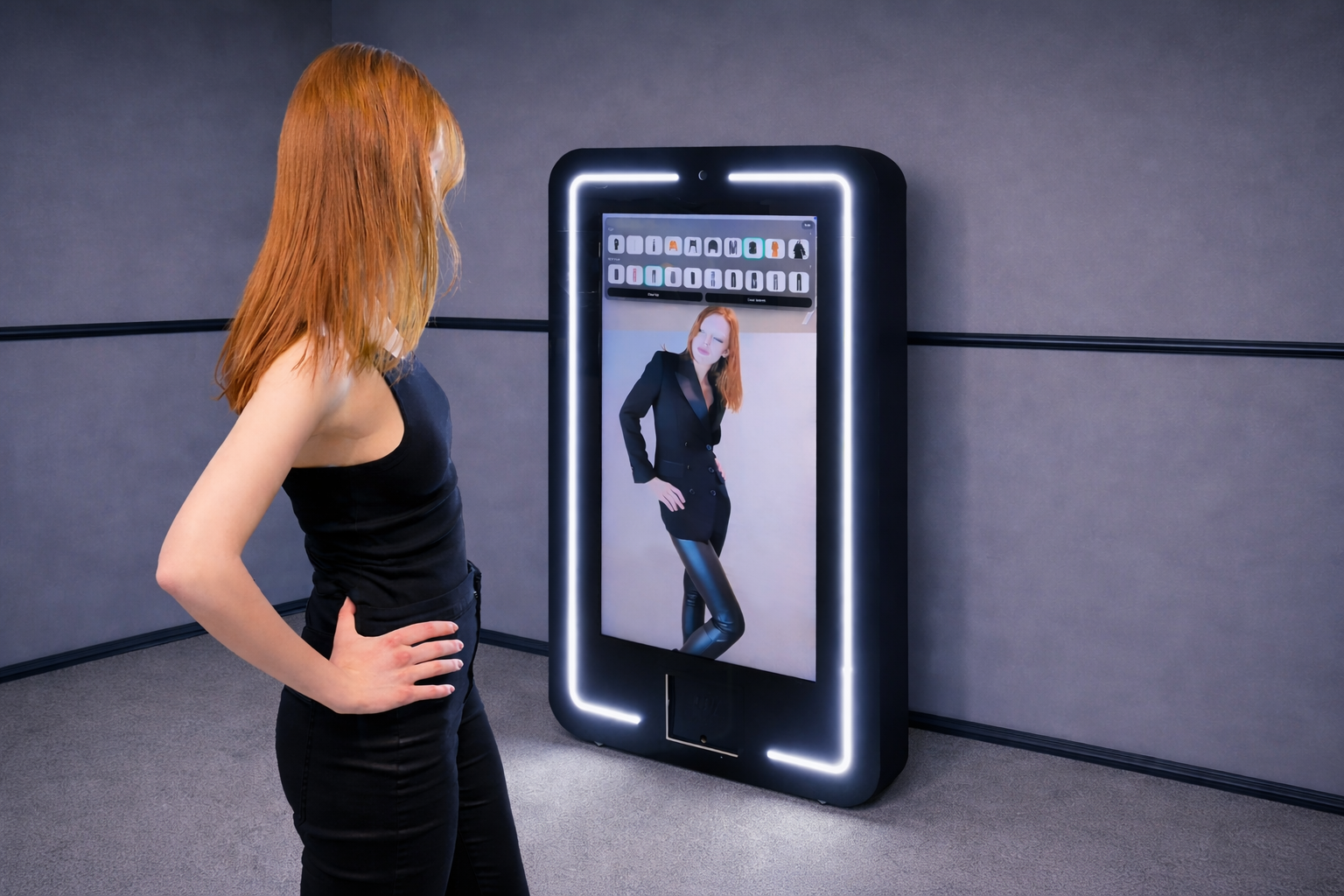
- Virtual try-on
- AI product recommendations
- AI shopping assistants
- Personalized content
Traditional digital signage usually delivers the same message to everyone. More advanced interactive and AI-powered systems can adapt content based on location, timing, user actions, or the customer journey.
What Is a Digital Signage Content Strategy?
A digital signage content strategy defines what appears on your screens, who it is for, when and where it should be shown, what action it should drive, and how success will be measured.
In short, content is what appears on the screen; strategy defines why and how it is used.
How to Build a Digital Signage Content Strategy
Digital signage content creation focuses on individual assets. A digital signage content strategy connects those assets to the broader customer journey and business objective.
A useful framework is:
Goal → Audience → Location → Content → Context → Interaction → Measurement
Define the Business Objective
Start by identifying what the screen needs to achieve.
| Business goal | Content approach | Example KPI |
| Awareness | High-impact campaign content | Views or estimated reach |
| Foot traffic | Storefront content | Store visits |
| Product discovery | Interactive catalog | Product views |
| Engagement | Interactive experience | Activations |
| Trial | Virtual try-on | Try-ons |
| Consideration | Recommendations | Product selections |
| Advocacy | Photo/video experience | Shares |
Map the Customer Journey
Instead of treating every screen as an isolated advertising surface, think about how screens can support each stage of the physical customer journey.
A simple framework is:
Attract → Engage → Explore → Decide → Convert → Share
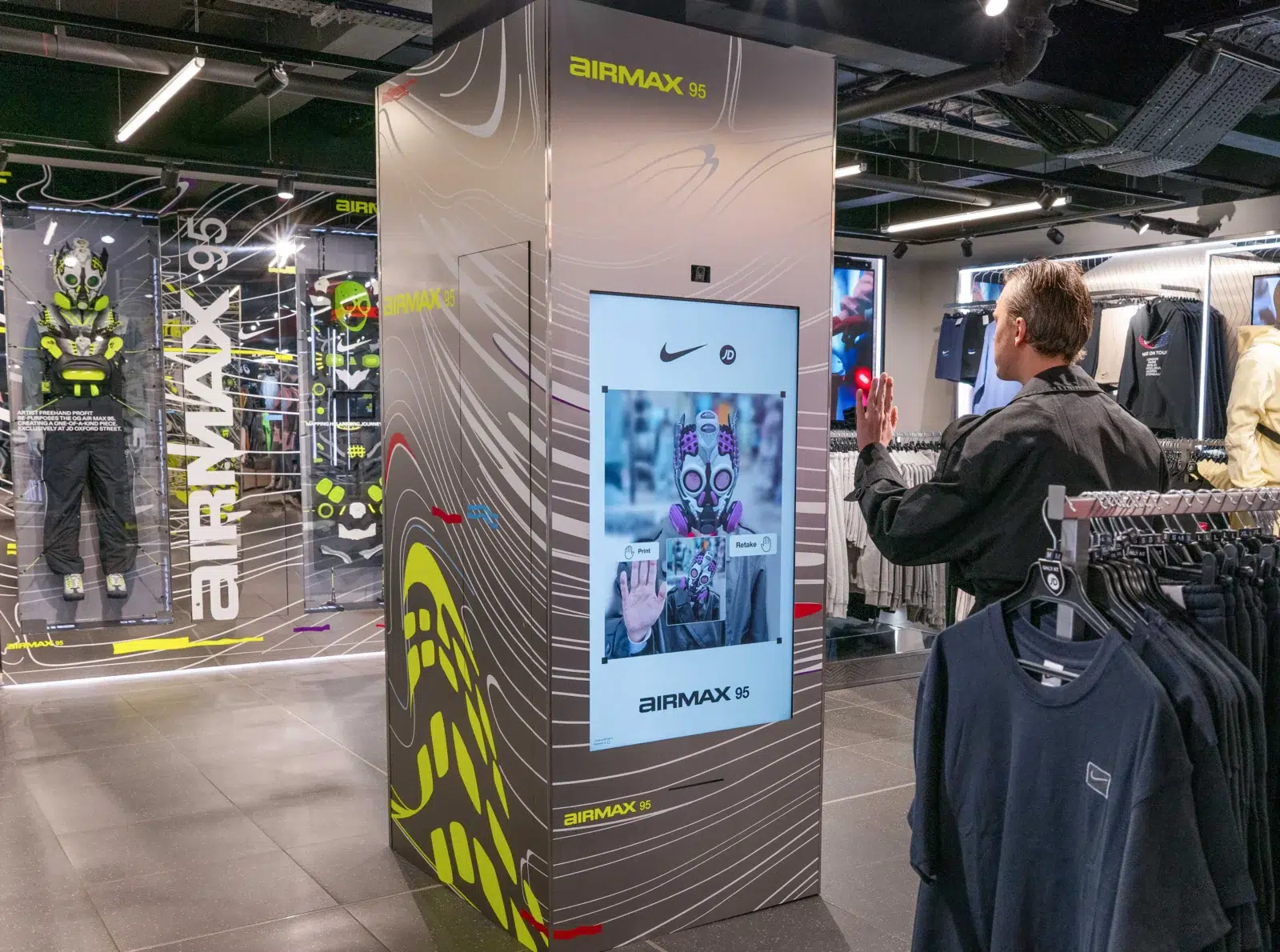
Stage 1: Attract
Capture attention before the customer actively engages with the screen. Use storefront displays, bold motion, large visuals, short headlines, and campaign hooks that can be understood in a few seconds.
Stage 2: Engage
Give customers a reason to stop and interact. This can include interactive hooks, games, AR experiences, product teasers, quizzes, or simple prompts that make the next step obvious.
Stage 3: Explore
Help customers discover more products, collections, and options. Use digital catalogs, product information, recommendations, category navigation, and interactive product browsing to expand discovery beyond what is immediately visible in-store.
Stage 4: Decide
Support consideration and reduce friction in the buying process. Comparisons, virtual try-on, AI recommendations, guided selling, product matching, and personalized suggestions can help customers choose the right option.
Stage 5: Convert
Connect the digital experience to a clear next action. This may include scanning to shop, locating a product in-store, visiting the fitting room, saving an item, requesting assistance, or moving directly to purchase.
Stage 6: Share
Extend the experience beyond the physical screen. Photo and video capture, QR sharing, branded UGC, and social-ready content can turn an in-store interaction into additional reach and engagement.
Digital Signage Content Strategy Template
Use this PDF template to turn a screen or campaign idea into a clear digital signage plan. Define the business goal, audience, screen context, content format, interaction, CTA, and KPIs before production starts so every creative decision supports a measurable customer outcome.
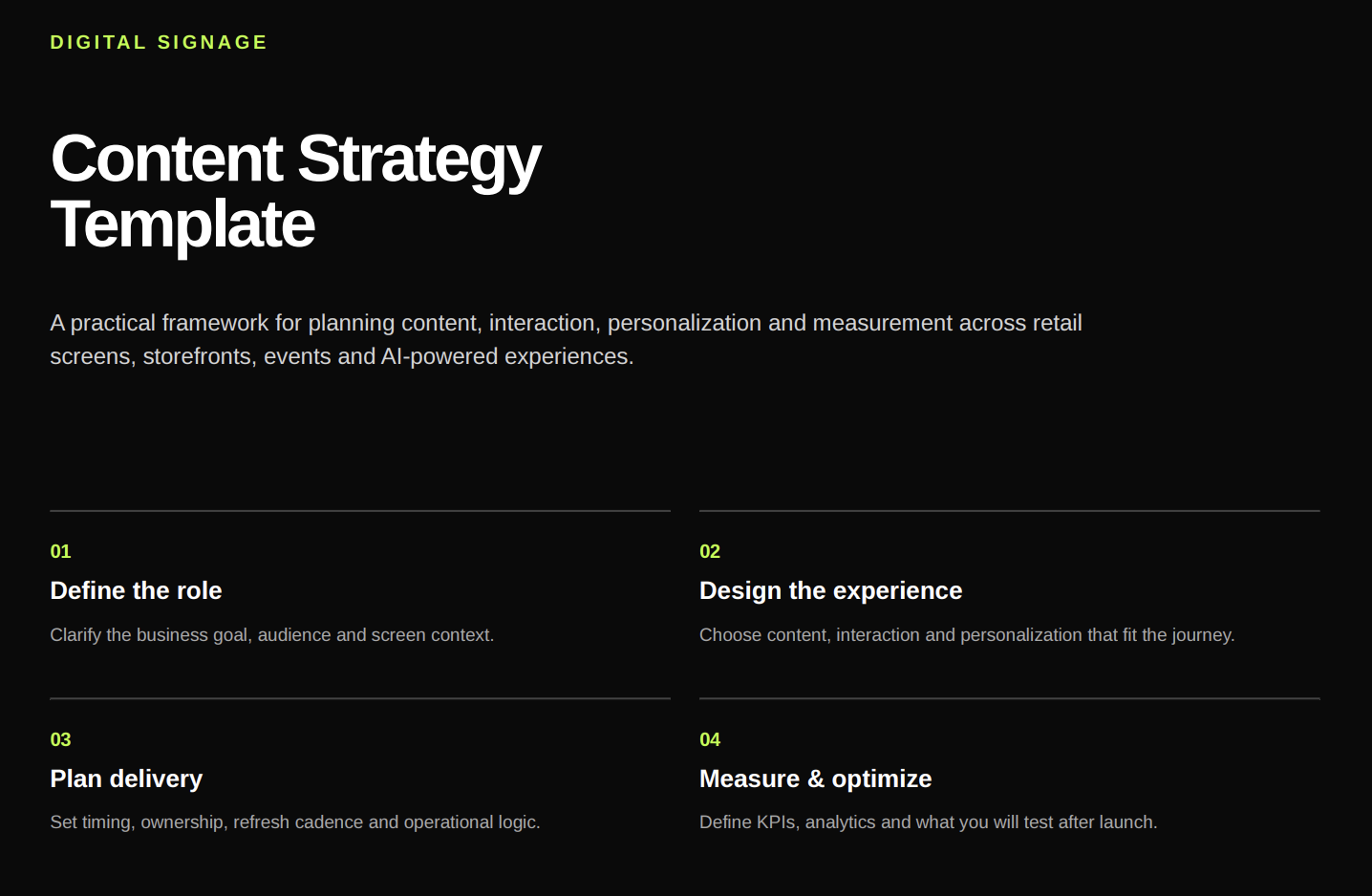
Open the full loook.ai Digital Signage Content Strategy Template.pdf
Passive vs. Interactive vs. AI Digital Signage
Not all digital signage works in the same way. The main difference is how much the screen can respond to the customer and how personalized the experience becomes.
Passive Digital Signage
Passive signage displays predefined content to everyone. This includes campaign videos, promotions, menus, product ads, and brand messages.
It works well for awareness, information delivery, and broad campaign communication. The screen mainly acts as a media channel: it delivers a message, but the customer does not influence what happens next.
Interactive Digital Signage
Interactive signage responds to customer actions and turns the screen into a two-way experience.
This can include touchscreen catalogs, product selectors, games, interactive campaigns, gesture-controlled experiences, and QR-enabled journeys.
Customers can browse products, compare options, interact with branded content, and explore information at their own pace.
AI-Powered Digital Signage
AI-powered digital signage goes further by adapting the experience based on customer interaction and context.
It can support:
- AI product recommendations
- Virtual try-on
- AI shopping assistants
- Personalized beauty experiences
- Skin analysis
- AI-generated transformations
Instead of showing the same experience to every customer, AI helps make the content more relevant to what a person is exploring or trying to achieve.
The progression can be viewed as:
Scheduled → Contextual → Interactive → Personalized
As the experience becomes more advanced, the screen shifts from being a passive media surface to becoming an active part of the customer journey — helping customers discover, compare, try, and choose products.
Digital Signage Content Types
The best digital signage content depends on the screen, audience, and business objective. A storefront screen designed to attract attention requires very different content from an interactive screen positioned beside a product display.
Promotions and Product Content
Digital signage can promote new products, offers, seasonal campaigns, bestsellers, and pricing updates. Keep the message simple, visual, and focused on a clear next action.
Information and Wayfinding
Digital screens can guide customers with maps, directories, schedules, queue updates, opening hours, and service information. Here, clarity and usefulness matter most.
Social and User-Generated Content
Customer content can make signage more dynamic through social posts, reviews, photos, event content, and branded UGC.
Live and Dynamic Content
Dynamic signage automatically updates content such as pricing, inventory, weather, events, social feeds, and wait times—ideal for information that changes frequently or by location.
Interactive Digital Signage Content
Interactive signage turns viewers into participants through product catalogs, selectors, quizzes, games, maps, touch, gestures, or QR experiences—making the customer journey more useful and engaging.
AI-Powered Digital Signage Content
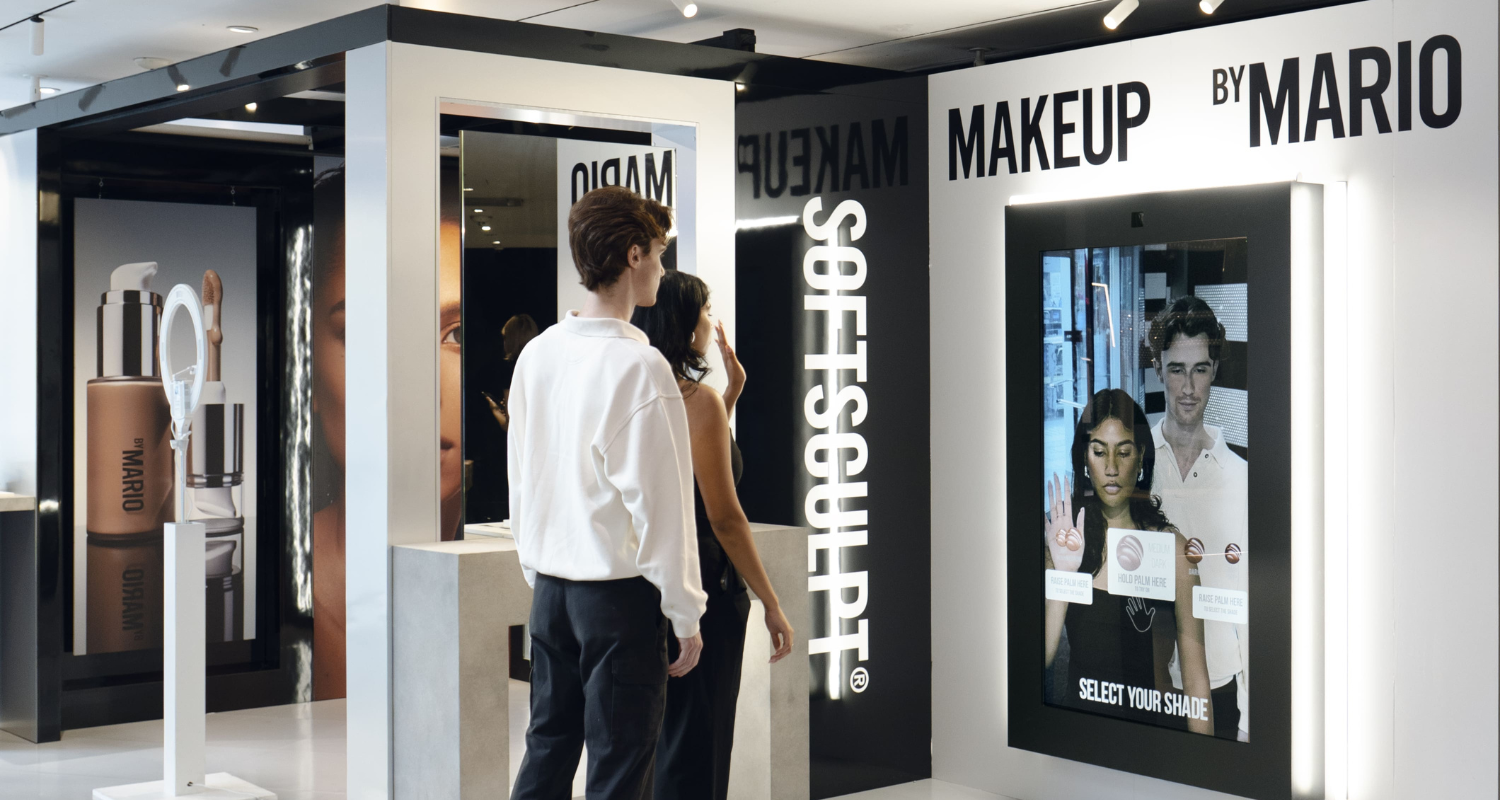
AI adds personalization through clothing and beauty try-on, product recommendations, shopping assistants, skin analysis, personalized discovery, character transformations, and guided product selection. Unlike static signage, AI-powered screens adapt the experience based on customer interaction.
Digital Signage Content Creation Best Practices
Effective digital signage should be clear, easy to read, and focused on one message or action.
Keep the Message Simple
People often have only a few seconds to understand a screen. Keep copy short and use the 3×5 rule as a guideline: up to three lines of five words or five lines of three words.
Design for the First Few Seconds
Make the main message, value, and next action clear immediately. If users need to read several sentences, the content is too complex.
Use Large, Readable Typography
Adapt typography to screen size, resolution, viewing distance, and placement. Use strong contrast and a clear hierarchy between headline, supporting text, and CTA.
Match Content to Dwell Time
Content length should reflect how long people are likely to see or use the screen.
| Screen location | Typical attention | Best content |
| Storefront | 1–3 seconds | Bold visual, motion, short hook |
| Entrance | 3–5 seconds | Campaign or product message |
| Retail aisle | 5–15 seconds | Product benefits and discovery |
| Product area | 15–60 seconds | Comparisons and recommendations |
| Waiting area | 30 seconds+ | Storytelling and longer-form content |
| Interactive screen | 30 seconds–minutes | Personalized exploration and interaction |
Longer content can work in waiting areas or interactive experiences, but not on screens people pass in seconds.
Use One Primary Message
Give each screen one clear purpose. Avoid combining too many products, messages, or actions in the same creative.
Make the CTA Obvious
Tell customers exactly what to do next with clear CTAs such as Try it, Explore the collection, Find your look, Scan to shop, or See recommendations.
Design for the Actual Screen
Create content for the real environment rather than simply resizing social or web assets. Consider orientation, screen size, resolution, brightness, viewing distance, and whether people are walking or standing.
Digital Signage Content for Retail
Retail signage has a unique advantage: it sits close to the moment when customers are discovering, comparing, and buying products.
That makes the content strategy different from general advertising.
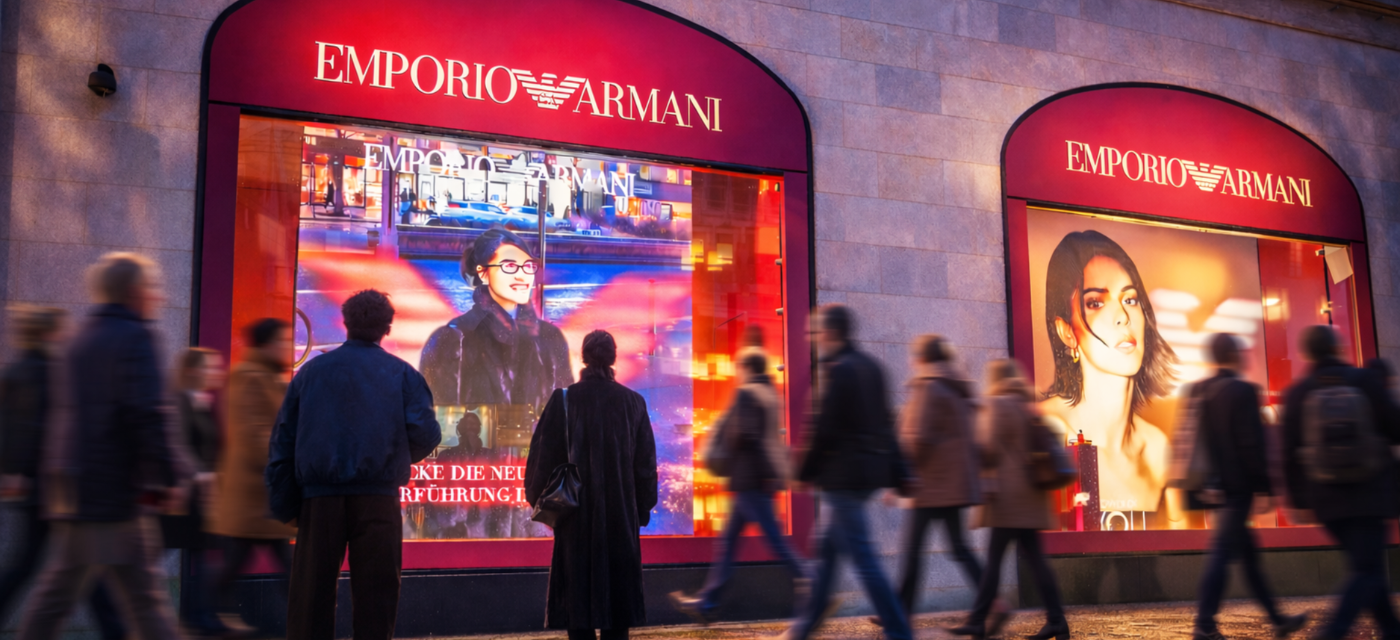
Storefront Content
The primary objective is attention.
Use:
- High-impact visuals
- Motion
- Simple messages
- Interaction hooks
Product Discovery
Help shoppers explore more of the assortment through:
- Digital catalogs
- Collections
- Product recommendations
- Related items
Virtual Try-On
Virtual try-on allows shoppers to visualize products before trying them physically.
It can be used for:
- Clothing
- Makeup
- Accessories
- Eyewear
- Beauty products
AI Recommendations
AI-powered screens can guide customers toward products based on their interaction.
Guided Selling
Screens can help explain:
- Product differences
- Features
- Routines
- Collections
- Recommendations
Gamification
Games and challenges can turn screens into engagement points for:
- Product launches
- Events
- Brand campaigns
- Prize mechanics
UGC and Social Sharing
Interactive screens can allow users to create photos or videos and continue the experience on their phones.
AI-Powered Digital Signage Content Examples
The best way to understand digital signage content strategy is to look at how screens can support different customer goals.
BOSS — AI Clothing Try-On
For the BOSS Golf Collection, visitors could browse different looks and visualize outfits through an AI Try-On Mirror before moving to the physical fitting room.
The screen supported product discovery and helped customers shortlist the styles they wanted to explore further.

Dolce & Gabbana Beauty — AI Lips Wardrobe
The AI Lips Wardrobe created a more personalized product discovery journey.
Users could explore different lip products and finishes, receive AI-powered recommendations, and virtually try on different looks.
Instead of presenting a static product campaign, the screen became part of the consultation experience.

H&M — AI Clothing Try-On
An AI Clothing Try-On experience enabled visitors to explore multiple looks through one screen.
Rather than physically trying every item, customers could discover more of the collection digitally before deciding what to explore further.

Kiehl’s — Skin Analysis Experience
AI-powered skin analysis can turn digital signage into a consultation tool, helping customers move from general product discovery toward more personalized recommendations.

These examples show how content strategy changes when the screen is designed not just to communicate, but to help customers do something.
How to Measure Digital Signage Content Performance
The right KPIs depend on the type of signage and the business goal behind it.
| Signage type | Key metrics | What they help measure |
| Passive Digital Signage | Playback, estimated reach, impressions, QR scans, campaign exposure | Whether the content was displayed and how many people were potentially exposed to it |
| Interactive Digital Signage | Activations, interaction rate, dwell time, product views, button selections, completed experiences, QR scans | How actively customers engage with the screen and what they explore |
| AI Digital Signage | Recommendations viewed, products explored, virtual try-ons, selected products, saved looks, interaction depth | How customers respond to personalized experiences and product discovery |
The key is to connect metrics to the original business objective. If the goal is product discovery, impressions alone are not enough — product views, interactions, try-ons, and selections provide much stronger signals.
What to Look for in Digital Signage Content Creation Software
The right platform depends on your use case, but these are some of the most important capabilities to evaluate.
| Feature | Why it matters |
| Content management | Upload and organize assets |
| Templates | Speed up content production |
| Scheduling | Run campaigns automatically |
| Remote management | Control screens across locations |
| Dynamic data | Keep information current |
| Multi-location support | Scale campaigns |
| Interactivity | Turn viewing into participation |
| AI capabilities | Add personalization |
| Analytics | Measure actual usage |
| Integrations | Connect product and business data |
For interactive retail experiences, it is especially important to look beyond traditional CMS features.
A platform may be able to schedule a video across 100 screens but still not support virtual try-on, personalized recommendations, user interaction, or detailed engagement analytics.
From Digital Signage Content to Interactive Customer Experiences
Traditional digital signage asks:
What should this screen display?
Interactive digital signage asks:
What does the customer want to explore?
AI-powered digital signage adds another question:
What content, product, or experience is most relevant to this interaction?
This shift turns screens from passive media surfaces into active parts of the customer journey.
LOOOK.AI enables brands to transform existing and new screens into interactive AI-powered experiences, including virtual try-on, personalized recommendations, AI assistants, product discovery, and branded customer experiences.
Explore AI Digital Signage by LOOOK.AI to see how digital screens can move beyond content playback and become interactive customer touchpoints.
Frequently Asked Questions
What is digital signage content?
Digital signage content is the digital media displayed on screens such as LCD displays, LED walls, kiosks, retail screens, and interactive mirrors. It can include images, videos, text, live information, promotions, interactive experiences, and AI-powered content.
How do you create digital signage content?
Start by defining the business goal, audience, screen location, viewing distance, and expected dwell time. Then choose the right content format, create a clear message and CTA, adapt the design to the actual screen, schedule the content, and measure performance.
What is digital signage content creation software?
Digital signage content creation software includes tools used to design, manage, schedule, publish, or personalize content displayed on digital screens. Depending on the use case, this may include design tools, digital signage CMS platforms, interactive software, or AI-powered signage platforms.
What is the 3×5 rule for digital signage?
The 3×5 rule is a content guideline that suggests limiting text to approximately three lines of five words or five lines of three words. It helps keep digital signage messages concise and easier to understand quickly.
How is AI used in digital signage?
AI can power product recommendations, virtual try-on, shopping assistants, personalization, skin analysis, customer journeys, and generative experiences. It allows signage to respond to customer interaction rather than simply displaying predefined content.
How can AI recommendations work on digital signage?
AI can use customer interaction, selected products, preferences, or experience inputs to recommend relevant products, looks, or content in real time.
What types of retail screens can become interactive?
Interactive experiences can be deployed across storefront displays, in-store screens, mirrors, kiosks, product zones, event installations, malls, and other customer-facing displays.